
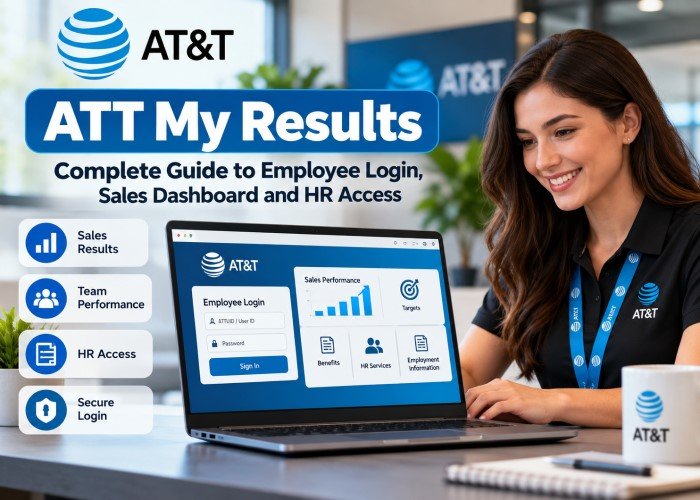
AT&T staff need to check work results, reach employment services and deal with sign-in problems. Yet a sales tool is not the same as an HR service, and neither is intended for customers paying a phone bill. ATT My Results is a common name used for AT&T work-related access, especially sales results and employee services. AT&T does not clearly identify it as a single public service. Here is how the different routes work and how to use them safely and confidently.
What Is ATT My Results?
The term mainly refers to ways AT&T workers access their job-related results or company services. For a member of a sales team, that may mean a dashboard showing work performance. For someone who needs benefits or employment records, it means AT&T HR Access instead. These are different systems. Use the service named by your manager or HR team. Access depends on work status and permissions.
Quick Facts Chart
| Detail | Key fact |
|---|---|
| Company | AT&T |
| Main purpose | Access to authorised work or HR services |
| Main users | Employees and other approved users |
| Sales route | AT&T’s internal sales dashboard |
| HR route | AT&T HR Access |
| Employee sign-in | ATTUID and Global Logon for HR Access |
| Public customer access | Not intended for customer accounts |
| Access rights | Depend on role and employment status |
Who Can Use ATT My Results?
Current Employees
Active AT&T employees can use systems approved for their role. Sales staff may need performance tools, while others need HR services. An employee ID does not unlock every page. AT&T’s HR Access service also includes an active employee route for staff on short-term disability, leave of absence or suspension. The service directs active workers to use their ATTUID and Global Logon.
AT&T provides a separate HR Access entry for former employees, retirees and eligible dependants. New users in these groups may need to register for Global Logon before signing in. Their access differs from that of current sales staff. Former staff should ask the relevant support team if a service is missing.
How to Log In to ATT My Results
Step 1: Choose the Right Service
Start with the official AT&T route that matches your task. Use HR Access for employment matters. Use the company-approved sales dashboard if your job involves sales results. Old bookmarks may lead to the wrong place.
Step 2: Enter Your Work Details
On HR Access, choose the correct user group. Active employees use their ATTUID and Global Logon. Other eligible users should follow the registration or sign-in instructions shown for them. On a sales tool, follow the method approved by your department.
Step 3: Complete Any Security Check
A company system may ask for a check, such as a code or approved security method. Complete only the steps shown on a genuine AT&T sign-in page. Methods vary by account and policy.
Before You Open the Dashboard
Make sure your account is active, your password is correct and your device meets workplace rules. If sign-in fails, contact internal support or your manager.
Understanding the AT&T Sales Dashboard
For staff who have permission, a sales dashboard helps make work results easier to review. The exact measures depend on each team’s access rights.
Sales Figures and Targets
A performance view may include sales totals, target progress or results over a set period. Read each figure with its date range and target.
Team Performance
Managers may have wider access than individual workers. They can review team results and plan coaching where company rules permit.
Why Context Matters
A strong daily figure does not always show steady progress. Store traffic, stock, staffing and the type of sale can affect outcomes. Good reviews use the figures alongside real work conditions, not as a reason to judge people without context.
What AT&T HR Access Is Used For
HR Access is the company’s named service for benefits and employment matters. It serves active employees and has routes for former staff, retirees and eligible dependants. It serves a different purpose from sales tools.
Benefits and Employment Services
Eligible users can reach company resources linked to their employment status. The exact choices can include benefits-related tasks and other HR services. Other systems may handle some personal details.
Changes in Employment Status
Leaving or retiring can change access rights. Workers should follow current instructions to keep access to important records. Before leaving a role, check which documents you may need for tax, benefits or pension matters. Ask the HR team how to retain authorised access and what identity checks may apply later. Never use a colleague’s account to retrieve missing documents, even when a request is urgent. Use the approved support team instead.
ATT My Results vs myAT&T: Know the Difference
These services meet different needs. The myAT&T app and customer account tools let customers manage bills, payments, usage and services. Employee systems are for authorised workplace tasks. AT&T A customer account ID does not give someone access to staff results. A work login is not a personal phone account login.
Common ATT My Results Login Problems
Wrong User ID or Password
Check that you are using the correct work ID rather than a personal customer account. Enter your password carefully and check that the keyboard is not adding spaces. Use the official recovery option if needed.
Security Check Does Not Work
If a code is delayed or your approved security device is unavailable, follow your employer’s recovery process. Do not share a one-time code with anyone, even if they claim to be from support. Never disclose your password.
Access Denied After Sign-In
Signing in does not unlock every service. Your role, job status or permissions may have changed. Ask your manager or the internal support team to confirm whether you should have access.
Page Will Not Load
Check your connection and try a supported browser. A stale browser session may also cause trouble; signing out and reopening the approved service can help. Ask support before changing security settings.
How to Keep Your Account Safe
Work systems may contain sensitive data. Check that the sign-in page belongs to AT&T. Do not type your work password into a site simply because it uses a familiar name or company logo. Avoid sharing access details with colleagues. Sign out on shared devices and keep your browser and security tools updated. Treat messages that demand urgent password changes with care, especially when they take you away from the normal company sign-in process.
What to Do if Something Looks Wrong
Stop entering details if the page is unfamiliar or asks for data that does not fit your task. Use a known company contact method to check the request. If you have already entered a password on a doubtful page, tell your IT or security team at once.
Using Work Results More Effectively
Checking a number is only the first step. Compare results over similar periods, look at what changed and decide which action you can control. A manager can help set goals for the next week. Keep notes on the reasons for changes, not just the final total. If figures seem wrong, raise the issue through your department’s normal process rather than making your own edits to company records.
Frequently Asked Questions
Is ATT My Results an Official AT&T Service Name?
The phrase is widely used for employee access, but AT&T clearly names HR Access as one of its official services. It is safer to follow the exact service name given by your workplace.
Can I Use the Portal From Home?
AT&T states that active employees can reach HR Access from work or non-work locations using their assigned details. Other tools may have extra network or device rules.
Can a Retired Employee View Sales Results?
Retirees may have access to eligible HR services. This does not mean they can open current staff sales tools. Access depends on the permissions held by that user.
What if I Have Forgotten My Global Logon Details?
Use the account recovery choices on the official HR Access page. If you cannot complete the checks, contact the approved support team for the next step.
Does the Dashboard Show Commission Payments?
Sales-related systems can differ by role and team. Do not assume that commissions, pay or bonuses are shown in a particular dashboard. Confirm the correct pay service with your employer.
Is myAT&T the Same as an Employee Portal?
No. myAT&T is intended for customer account tasks such as payments and usage. AT&T’s workplace services have separate sign-in rules and access controls.
Final Thoughts
ATT My Results is best treated as a common term for AT&T workplace access, not as proof that every employee task sits in one portal. Choose HR Access for employment matters and your approved sales service for work results. Use the right login, protect your details and ask company support when access changes.
